|
 |
Software screenshots

Example
of layer tool showing the Kos-Nisyros-Yali-Tilos volcanic field. The background
image consist of the shaded morphological map of the entire volcanic field overlain
by the fault system (click on image to enlarge).

The
analyzed data from two selected fumaroles in the “time series diagrams”.
Any click on a data point will should the measured data (click
on image to enlarge).

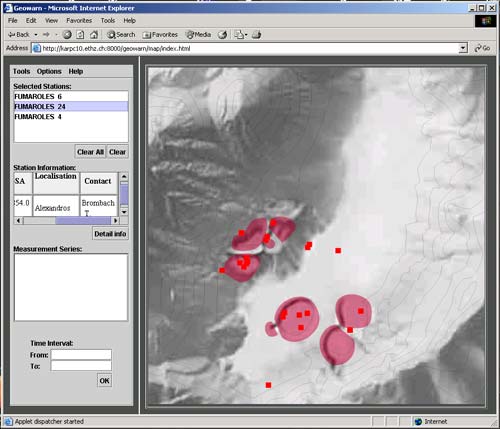
Diagram
selection Tool with the position of the monitored fumaroles (click
on image to enlarge).

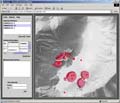
Simulation
of CO2 flux in a grid (Solfatara, Campi Flegrei) (click
on image to enlarge).

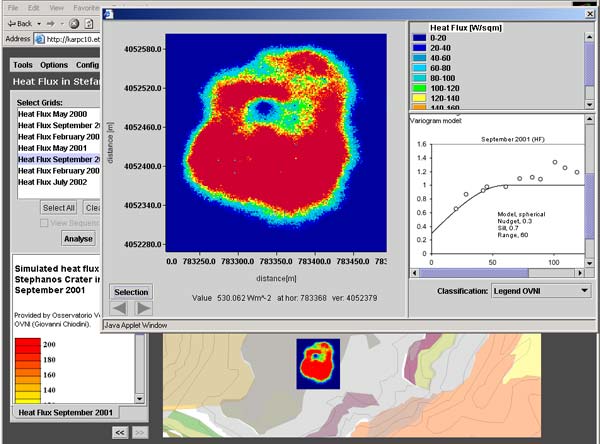
Example
selecting a grid for “Grid Analysis”. In this case, the heat flux
in Stefanos hydrothermal crater from the campaign September 2001 has been chosen
(click
on image to enlarge).

Explanatory
information (pictures, videos, text and hyper-links) for specific localities
(click
on image to enlarge).

Example
of layer tool showing Nisyros volcanic island. The generated interactive picture
shows the geology, on the shaded relief and overlain with major topographic
features (click
on image to enlarge).

Same
as figure above using “Zoom” functionality and additional overlays
of faults and fumaroles (click
on image to enlarge).

Example
of layer tool showing Nisyros volcanic island. The generated interactive picture
shows the slope stability map, overlain with contour lines and major topographic
features (click
on image to enlarge).

Same
as figure above using “Zoom” functionality and the overlay of fumaroles
(click
on image to enlarge).

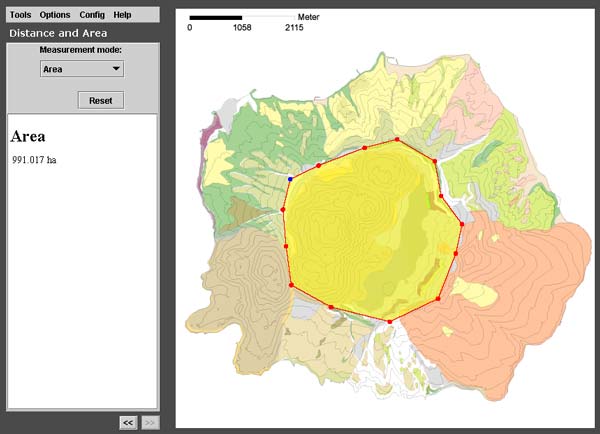
Area
measurement of the main caldera (991 ha) of Nisyros island (click
on image to enlarge).

Layer
tool (zoomed-in geology) with example of position and opened HTML window (the
2001 rupture within the Lakki plain of the Nisyros caldera) (click
on image to enlarge).

Diagram
selection Tool, allowing the selection of thermal springs and showing the “station
information” depending on the time interval of the measurements (click
on image to enlarge).

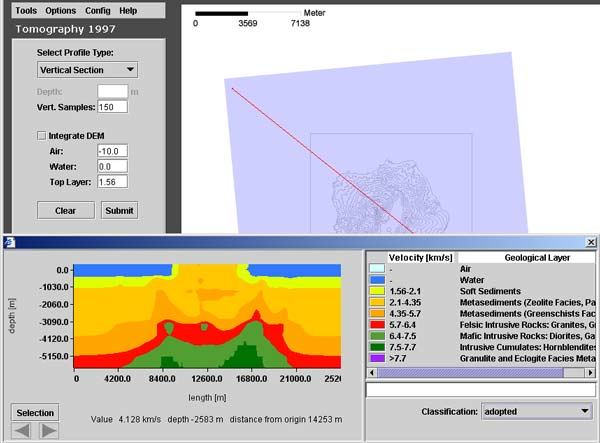
Three-dimensional
tomographic voxel data is analyzed with the Tomography Tool. This example shows
the vertical cross section and its selected position on the contour map of Nisyros
The cross section appears on the bottom of the tool. A request has been sent
to a server that extracted the cross section and send it back. Therefore, the
Tomography tool requires a connection with a running GEOWARN server to extract
the profiles. The cross section can then be analyzed with the Grid Analyst (click
on image to enlarge).
|
|